Fresh from Shipaton

2026Shipaton
CategoryPhoto & Video
DeveloperTakashi Saito
iPad


About this app
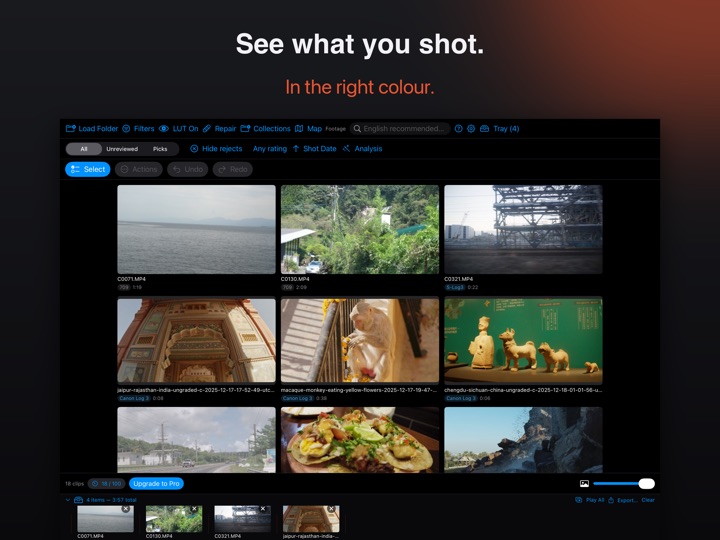
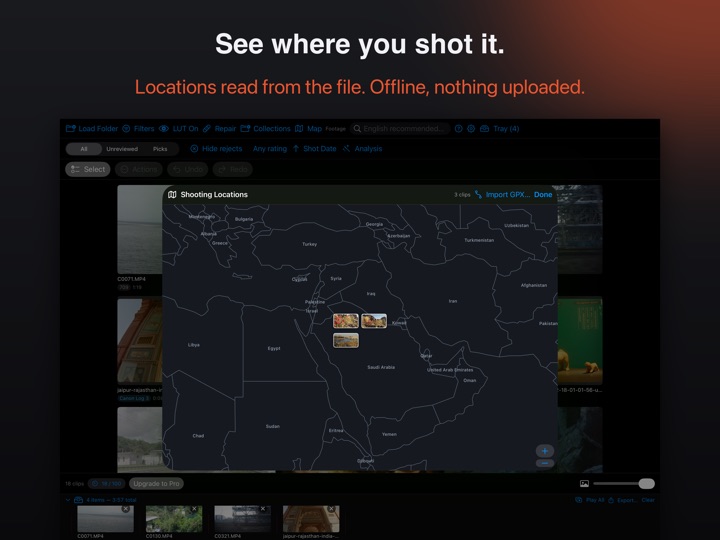
Stop opening an editing app just to see what you shot. Finder, QuickTime, every other asset browser — they all show S-Log3, Apple Log, V-Log and HLG as washed-out gray. Divecut reads your camera's metadata, detects the Log format automatically, and shows every clip in the color you actually shot it in. No proxies, no rendering — your original files are never touched. THE RIGHT COLOR, AUTOMATICALLY Divecut recognizes Log footage from Sony, Canon, Panasonic, Fujifilm, Nikon and Apple, and shows it in the right color automatically. ProRes RAW and Blackmagic RAW are decoded and displayed correctly too. SEARCH IN PLAIN WORDS "fire", "person on a bridge", "red car at night" — on-device AI finds the shot you remember, not the file you named. Fully offline; nothing ever leaves your Mac. English search terms currently work best. CULL WITHOUT TOUCHING THE MOUSE Rate, pick, reject, set in and out points — the entire review flow works from the keyboard, the way stills culling tools got right years ago. A TRAY FOR YOUR SELECTS Collect keepers into a tray as you go, then drag them all out at once — to Finder, to your editing app, anywhere that accepts files. HAND OFF TO RESOLVE, LOG INTACT Send selects with in and out ranges straight to a DaVinci Resolve timeline via Resolve's official Workflow Integration (requires DaVinci Resolve Studio). Clips arrive as Log with viewing LUTs applied as metadata — your grade starts from the real files, not baked-in copies. WAVEFORM, VECTORSCOPE, AND A SHARPNESS SCORE Check exposure and relative sharpness before you commit a clip to your edit, right inside the library. OFFLINE BY DESIGN No cloud, no uploads, no account required. Divecut references your footage in place and stores only its own metadata — your files are never copied, converted or modified. Free for your first 100 clips. Divecut Pro removes the limit for $6.99/month or $49.99/year, with a 7-day free trial. Built for the part of the job nobody built for: the hour between "I'm done shooting" and "I'm ready to edit." Terms of Use (EULA): https://www.apple.com/legal/internet-services/itunes/dev/stdeula/


