Fresh from Shipaton
Perch: Screen Change Alerts
Perch watches any part of your Mac screen and tells you the moment it changes.
1 view this month
2026Shipaton
CategoryProductivity
DeveloperAman Kansal
iPhone


About this app
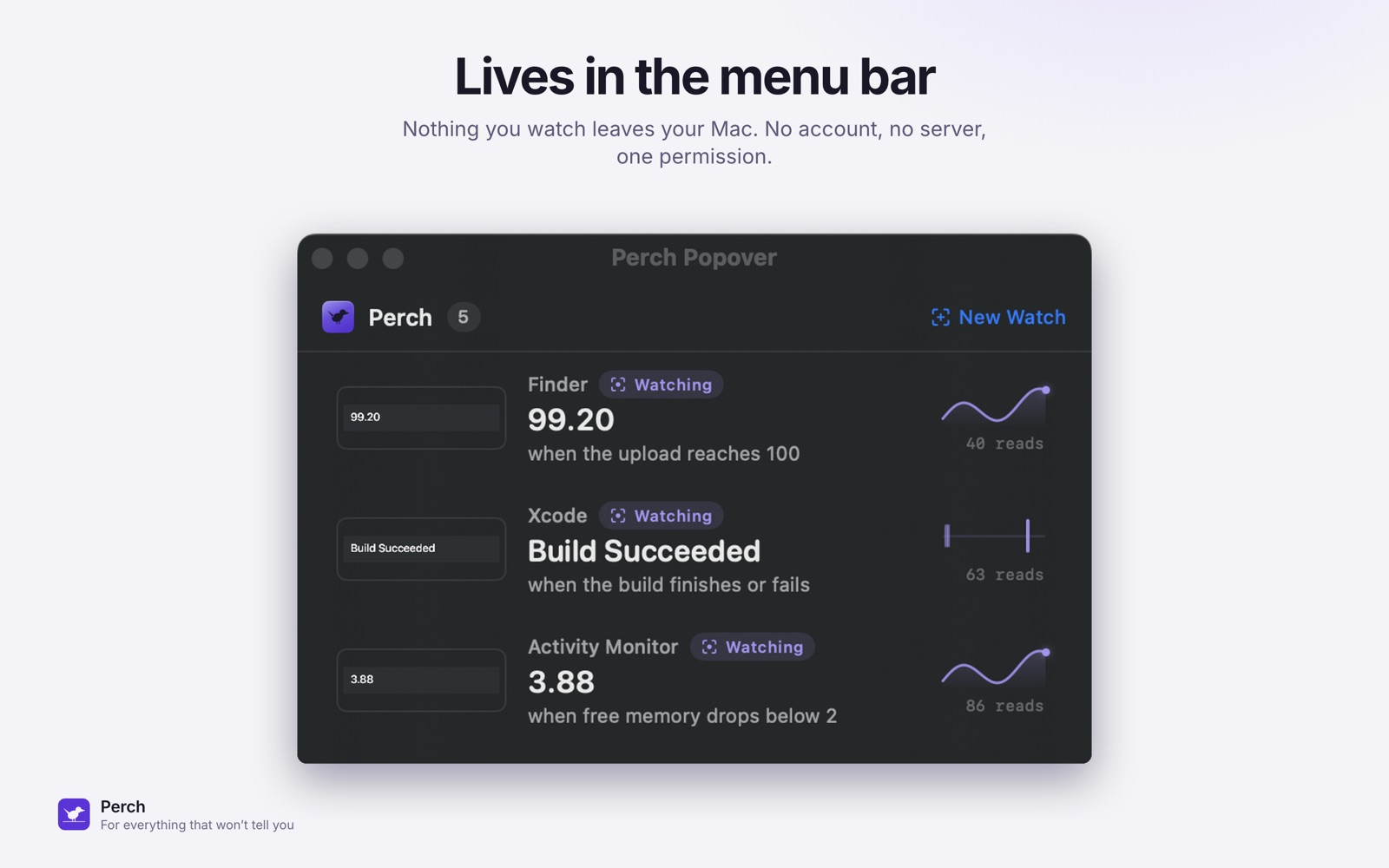
Perch watches any part of your Mac screen and tells you the moment it changes. It keeps reading that window even when it is completely buried under other windows, on another Space, or while you are away from the machine. HOW IT WORKS 1. Press Option-Shift-P and drag a box around anything on screen: a percentage, a price, a queue position, a status word. 2. Type what you are waiting for in plain English: "tell me when it changes", "when it reaches 100", "when it stops changing". 3. Go and do something else. Perch alerts you when it happens. Setup takes about ten seconds. There is no account and no sign-in. WHAT PEOPLE WATCH WITH IT - A price on a shopping page, so you know the second it drops. - An out-of-stock item, a concert ticket, a flight seat, a restaurant table. - An appointment slot on a booking site that will never email you. - A queue position, a support chat, a "you are number 34 in line". - A long upload, export, render or backup showing a percentage and nothing else. - A build, a test run, a deploy dashboard, a training job. - A job running inside a remote desktop session. That machine cannot notify your Mac. Nothing else solves this. - Software written before notifications existed: trading terminals, scientific instruments, CAD, encoders. - One pane of a terminal, where the multiplexer has nothing to say about any of them. If an app already notifies you, use that. Perch is for everything that will not. IT WATCHES MORE THAN TEXT A build light, a status dot, a spinner, a chart that turns red. If the region has no words in it, Perch watches the pixels instead. SAY IT IN PLAIN ENGLISH Type "tell me when it changes", or "when the upload reaches 100", or "when it stops changing". Perch works out what you meant, on your Mac, and shows you what it read before you commit. IT SHOWS ITS WORKING Every reading, when it changed, how long each read took, and a chart of the value over time. When an alert fires you can see exactly why. NOTHING YOU WATCH LEAVES YOUR MAC Text is recognised on your Mac using Apple's on-device Vision framework. There is no server to send it to, because there is no server. - One permission: Screen Recording. Never Accessibility, never your files. - No account, no sign-in, no email. - No analytics, no telemetry, no crash reporting, no advertising identifiers. - No network requests at all unless you buy Pro. BUILT FOR THE MAC Lives in the menu bar. Global hotkey. Shortcuts actions so a watch can drive the rest of your automation. Four themes, light and dark. Full VoiceOver support and Dynamic Type. Available in English, German, French, Spanish and Japanese. PERCH PRO Perch is free with one watch. Perch Pro is a one-time purchase that removes the limit and adds full history, charts and Shortcuts actions. Not a subscription. It does not renew. Requires macOS 14 Sonoma or later.


